
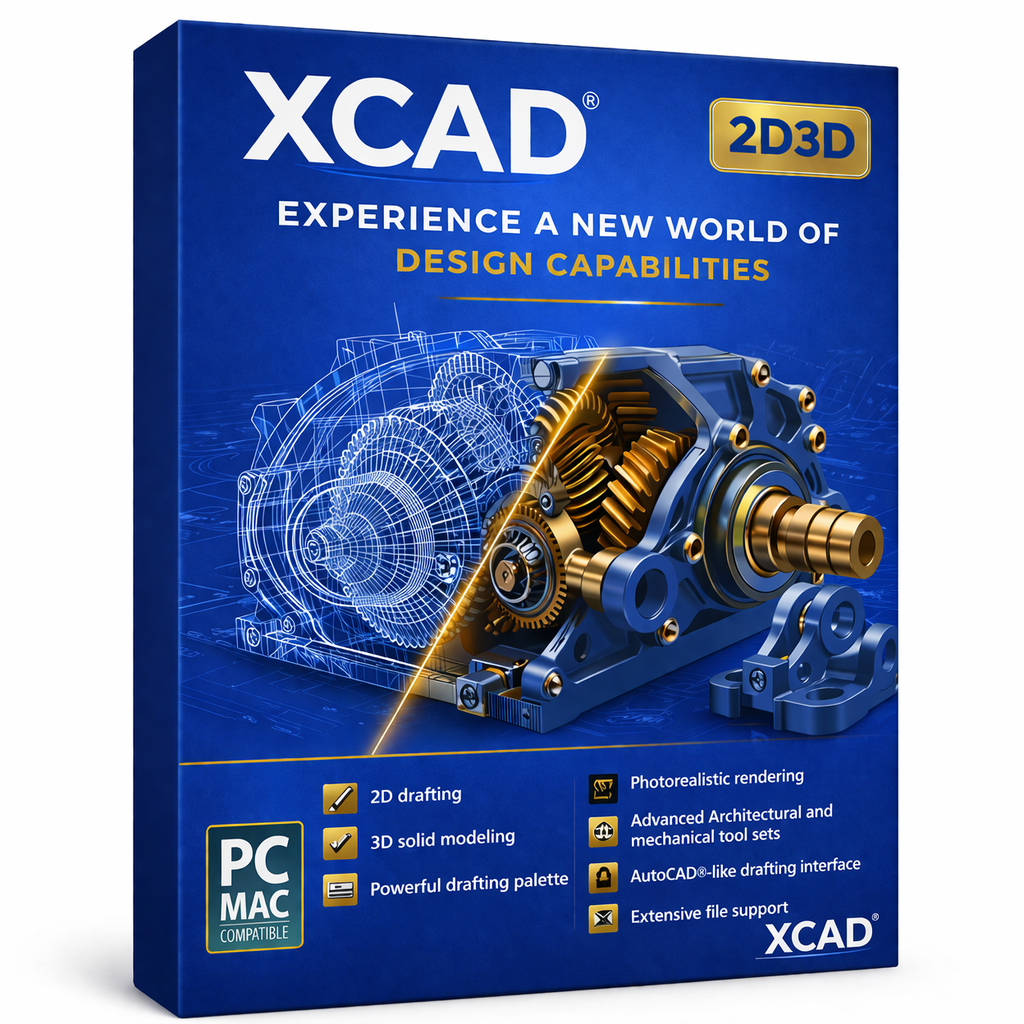
xCAD v1 2D3D - Annual - Windows
$99.99$79.99
xCAD® 2D3D is an indispensable solution for 2D drafting and 3D modeling, tailored for individuals, small enterprises, students, and educators. It provides an impressive selection of 2D drafting tools, 3D surface modeling functionalities, photorealistic rendering, and extensive compatibility with popular CAD and 3D printing file types, ensuring it remains a leading option in the field.
xCAD can help you design projects such as:
Advanced mechanical designs
Inventions and patent designs
Prototyping with 3D printers
Custom manufacturing from CAD to CNC
Architectural drawings
Remodeling plans
Furniture design, woodworking, and cabinetry
Musical instruments
Graphics and technical illustrations
Product and packaging design
2D drafting, diagramming, and schematic drawings
We will guide you in learning
xCAD® is equipped with setup wizards, context-sensitive assistance, snaps, alignment aids, handle-based editing, and a flexible user interface. These functionalities will shorten your learning curve and boost your productivity and design efficiency. Furthermore, you will have access to our training tutorials, removing the necessity to learn through trial and error. We specialize in creating CAD software, and our tutorials will help you become a proficient user quickly.
Your purchase includes 12 months of complimentary technical support.
User-Friendly Interface with Lightning-Fast Performance that allows users to navigate effortlessly and execute tasks quickly, minimizing downtime and maximizing productivity. This interface not only streamlines user interactions but also enhances overall experience, making it intuitive and accessible for users of all skill levels, ensuring that even newcomers can quickly acclimate and make the most out of the powerful features available.
Powerful 3D Surface and Solid Modeling capabilities empower designers and engineers to create complex geometries and visualize their projects with stunning detail. The richness of these modeling tools ensures that professionals can explore a variety of design alternatives, iterate rapidly, and deliver innovative solutions that meet rigorous industry standards. This not only boosts creative expression but also significantly reduces time-to-market for new products.
Intelligent Part Tree Organization enhances workflow by systematically categorizing components, making it easier to manage large assemblies and streamline the design process. With this organization method, users can quickly locate, modify, and implement changes across different parts, which is crucial in collaborative environments where multiple stakeholders may be involved in the design and development phases.
Wide-Ranging File Compatibility ensures that users can import and export various file formats seamlessly, facilitating collaboration across different platforms and software. This compatibility is essential in today's multi-disciplinary teams, where professionals might be using different software tools and systems. The ability to easily share designs and documentation reduces friction and fosters innovation through collaborative problem-solving.
Seamless Architectural and GIS Integration enables professionals to incorporate geographical information systems into their designs, enhancing accuracy and contextual relevance in planning. By leveraging this integration, architects and engineers can better visualize site constraints and environmental factors, allowing for more informed decision-making that ultimately leads to more sustainable and impactful designs.
Accurate 2D Geometry and Dimensional Controls provide precision and reliability, allowing users to create highly detailed technical drawings and plans without any compromise on quality. This level of detail is crucial, as it allows for the effective communication of ideas and specifications between various stakeholders, ensuring that every aspect of the project is clearly represented and understood.
Flexible, Context-Aware Drafting Tools adapt to users' needs, offering custom features and shortcuts that enhance efficiency and user satisfaction in every drafting session. These tools help professionals save time by automating repetitive tasks and ensuring that designers can focus on what truly matters—bringing their creative visions to life. Additionally, the adaptability of these tools means that as technology and user needs evolve, so too does the drafting experience, making it continually relevant and effective.
ACIS®-Based Solid Modeling
ACIS is a powerful 3D modeling engine used by many CAD programs to create accurate solid objects. In xCAD v1 Professional, this engine allows designers to build realistic 3D models where every object has:
Real Volume: Objects are not just hollow surfaces—they behave like real solid materials.
A Structured Framework: The internal mathematical structure defines the shape and geometry.
Surface Skin: Precise surfaces wrap around the structure to form the visible outer shape.
Inner Core (Solid Body): The model contains actual mass information, enabling operations like cutting, drilling, or measuring.

Geometric & Dimensional Constraints
Apply intelligent Smart Dimension tools—parallel, orthogonal, rotated, and Auto Dimension—to precisely define line lengths and angles. Display accurate measurements in both Imperial and metric units for seamless design documentation.

Part Tree / History Tree
Monitor and refine design changes with the Part Tree / History Tree. This intuitive feature records every modification to objects, groups, and blocks, allowing you to review, manage, and adjust your design history with ease.

Intelligent (Parametric) Architectural Objects
Create and configure smart architectural objects by simply selecting them and adjusting their parameters. Instantly update dimensions and specifications while maintaining design flexibility and precision.

Advanced Mechanical Design Tools
xCAD® v1 Professional offers a comprehensive 3D design suite, combining precision drafting, surface modeling, and advanced ACIS® solid modeling in one powerful platform. Its Mechanical Toolset provides essential features like Thread, Twisted Extrude, Extrude to Face, and Parametric Holes, alongside robust modification tools such as Bend, Unbend, Law-Based Operations, and Smooth Surface Mesh/Sub-D modeling—giving you complete control over both engineered and organic forms.

Programmable SDK & Scripting
xCAD® v1 Professional expands your design capabilities with scripting and a full SDK. Ruby—compatible with SketchUp Ruby Scripts—enables you to create plug-ins, automate multi-step workflows, and enhance both mechanical and architectural designs directly through the Ruby Scripting Console. Meanwhile, the SDK empowers the development of custom functions and specialized tools, complete with detailed documentation, sample projects, and .NET support for both commercial and custom applications.
Enhanced File Compatibility & Interoperability
xCAD® Professional integrates the latest Teigha (ODA) technology, delivering improved DWG/DXF compatibility and more reliable file translation. Built-in SketchUp support enables direct import of SKP files while preserving material assignments—ensuring smooth collaboration across multiple CAD platforms and design disciplines.
System Requirements
xCAD® is provided in a 64-bit version to make full use of your system’s memory for loading, processing, and rendering CAD files.
Operating System
Microsoft Windows 11, Windows 10, Windows 8 64-bit, Windows 7 (64-bit), Vista (64-bit) - 8 GB RAM.
Recommendation: Your experience with xCAD® will significantly improve with a newer generation, high-speed CPU, equipped with 16+ GB RAM.
CPU Type: 1 Gigahertz (GHz) or faster 64-bit (x64) Intel or AMD processor.
Note: OpenCL (GPU-based) modes require an NVIDIA graphics card or GPU that supports OpenCL 1.2 or newer, or NVIDIA’s CUDA version 10.0 or newer.
Other: Mouse Pointing Device (wheel button recommended).
Important Notice to Subscription Customers: Active Internet connectivity is required to maintain the subscription license.


Contact
Reach out for support or inquiries.
SUPPORT: support@xcad3d.com
© 2026. xCAD Technologies. All rights reserved.
SALES: sales@xcad3d.com
Products
xCAD v1 Pro
xCAD v1 2D3D
xCAD v1 2D
Policies
Address: 142-7075 Place Robert-Joncas, Montréal QC H4M 2Z2, Canada


Founded in 2013, xCAD delivers powerful yet affordable CAD and home design software, and has been a pioneer AEC (Architecture, Engineering, and Construction) industry for over a decade.
