

xCAD v1 Professional - Annual - Windows
$399.99$299.99
xCAD® v1 Professional is an all-encompassing CAD tool for 2D drafting and 3D solid modeling, crafted for engineers, architects, and design professionals. It offers a powerful drafting palette, ACIS® solid modeling, and photorealistic rendering, ensuring attractive designs. This software provides advanced toolsets for both architectural and mechanical design, making it indispensable for any design team. The interface is similar to AutoCAD® for drafting activities, allowing for a seamless transition for users, while also accommodating various file formats for straightforward project collaboration.
xCAD can assist you in designing projects like:
Advanced mechanical designs
Inventions and patent designs
Prototyping using 3D printers
Custom manufacturing from CAD to CNC
Architectural drawings
Remodeling plans
Furniture design, woodworking, and cabinetry
Musical instruments
Graphics and technical illustrations
Product and packaging design
2D drafting, diagramming, and schematic drawings
We will assist you in learning
xCAD® comes with setup wizards, context-sensitive help, snaps, alignment aids, handle-based editing, and a versatile user interface. These features will reduce your learning curve and enhance your productivity and design efficiency. Additionally, you will have access to our training tutorials, eliminating the need to learn through trial and error. We are specialists in developing CAD software, and our tutorials will enable you to become an expert user swiftly.
Your purchase includes 12 months of complimentary technical support.
ACIS®-Based Solid Modeling
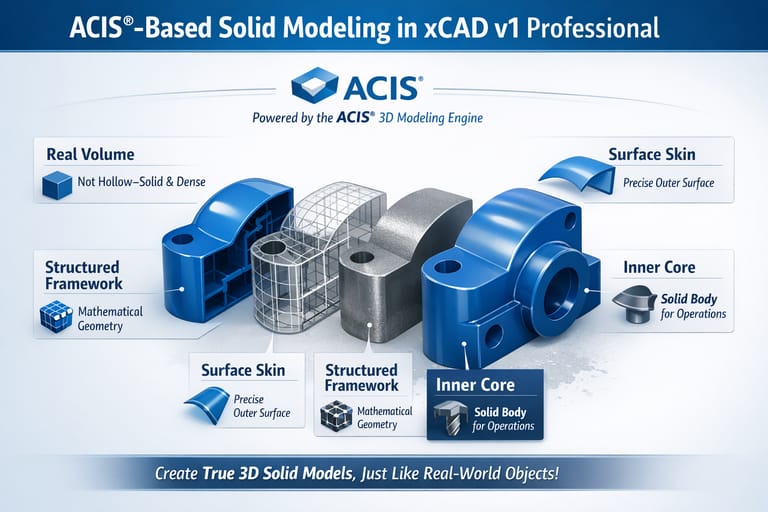
ACIS is a powerful 3D modeling engine used by many CAD programs to create accurate solid objects. In xCAD v1 Professional, this engine allows designers to build realistic 3D models where every object has:
Real Volume: Objects are not just hollow surfaces—they behave like real solid materials.
A Structured Framework: The internal mathematical structure defines the shape and geometry.
Surface Skin: Precise surfaces wrap around the structure to form the visible outer shape.
Inner Core (Solid Body): The model contains actual mass information, enabling operations like cutting, drilling, or measuring.
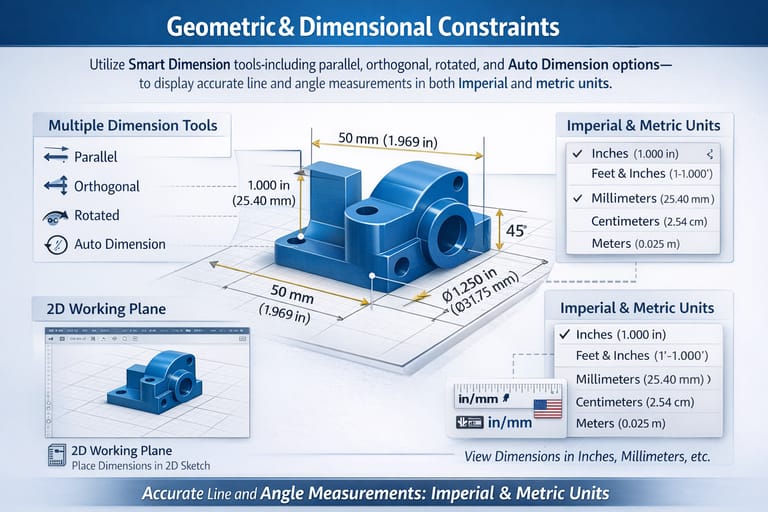
Geometric & Dimensional Constraints
Apply intelligent Smart Dimension tools—parallel, orthogonal, rotated, and Auto Dimension—to precisely define line lengths and angles. Display accurate measurements in both Imperial and metric units for seamless design documentation.
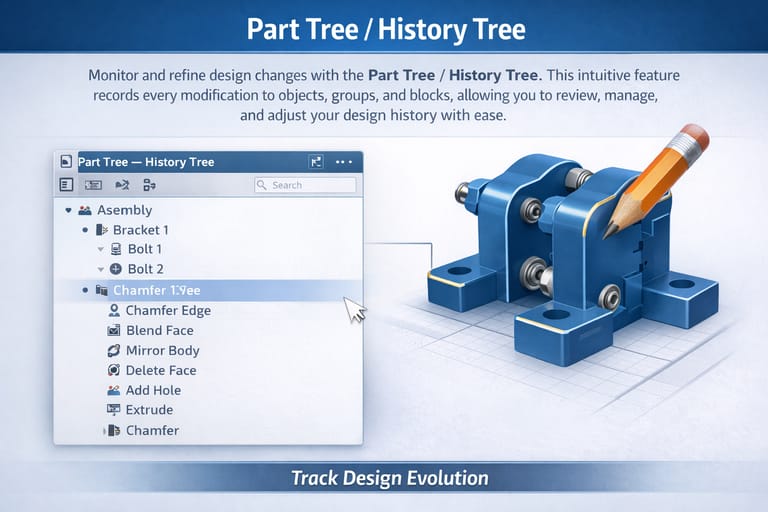
Part Tree / History Tree
Monitor and refine design changes with the Part Tree / History Tree. This intuitive feature records every modification to objects, groups, and blocks, allowing you to review, manage, and adjust your design history with ease.
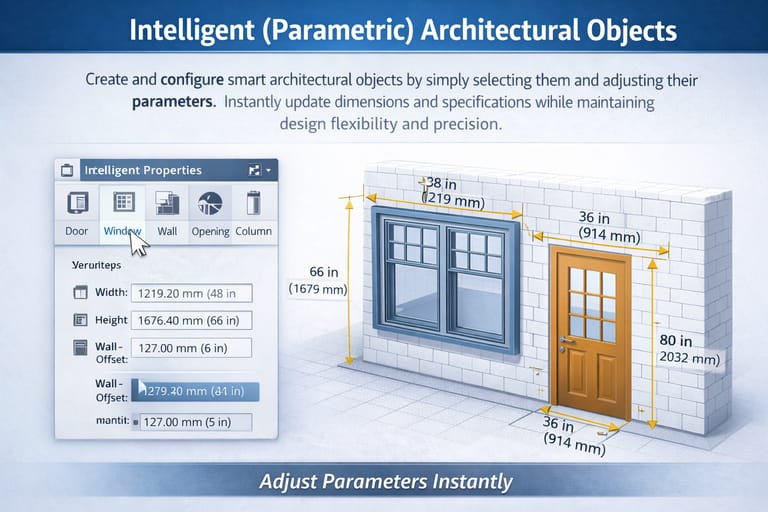
Intelligent (Parametric) Architectural Objects
Create and configure smart architectural objects by simply selecting them and adjusting their parameters. Instantly update dimensions and specifications while maintaining design flexibility and precision.
Advanced Mechanical Design Tools
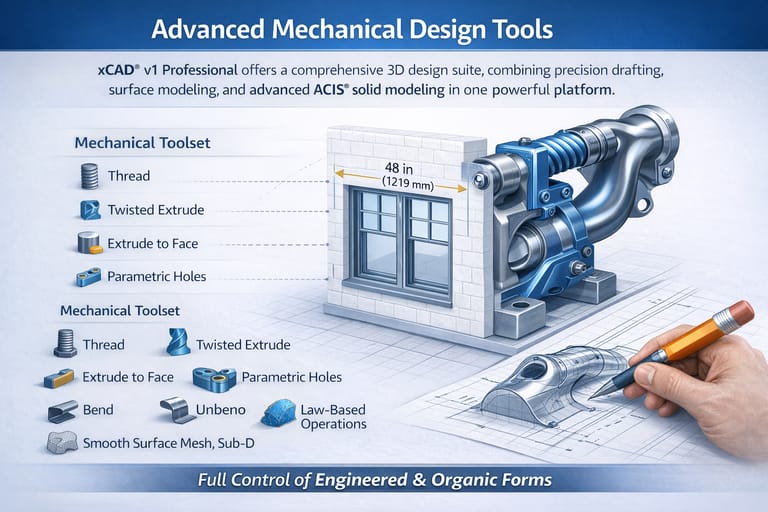
xCAD® v1 Professional offers a comprehensive 3D design suite, combining precision drafting, surface modeling, and advanced ACIS® solid modeling in one powerful platform. Its Mechanical Toolset provides essential features like Thread, Twisted Extrude, Extrude to Face, and Parametric Holes, alongside robust modification tools such as Bend, Unbend, Law-Based Operations, and Smooth Surface Mesh/Sub-D modeling—giving you complete control over both engineered and organic forms.
Programmable SDK & Scripting
xCAD® v1 Professional expands your design capabilities with scripting and a full SDK. Ruby—compatible with SketchUp Ruby Scripts—enables you to create plug-ins, automate multi-step workflows, and enhance both mechanical and architectural designs directly through the Ruby Scripting Console. Meanwhile, the SDK empowers the development of custom functions and specialized tools, complete with detailed documentation, sample projects, and .NET support for both commercial and custom applications.
Enhanced File Compatibility & Interoperability
xCAD® Professional integrates the latest Teigha (ODA) technology, delivering improved DWG/DXF compatibility and more reliable file translation. Built-in SketchUp support enables direct import of SKP files while preserving material assignments—ensuring smooth collaboration across multiple CAD platforms and design disciplines.
System Requirements
xCAD® is provided in a 64-bit version to make full use of your system’s memory for loading, processing, and rendering CAD files.
Operating System
Microsoft Windows 11, Windows 10, Windows 8 64-bit, Windows 7 (64-bit), Vista (64-bit) - 8 GB RAM.
Recommendation: Your experience with xCAD® will significantly improve with a newer generation, high-speed CPU, equipped with 16+ GB RAM.
CPU Type: 1 Gigahertz (GHz) or faster 64-bit (x64) Intel or AMD processor.
Note: OpenCL (GPU-based) modes require an NVIDIA graphics card or GPU that supports OpenCL 1.2 or newer, or NVIDIA’s CUDA version 10.0 or newer.
Other: Mouse Pointing Device (wheel button recommended).
Important Notice to Subscription Customers: Active Internet connectivity is required to maintain the subscription license.


