

xCAD v1 Professional - Annual
24/7 Backup Support
Top-Quality Products
Secure
Checkout


1,000++ Happy Customers
xCAD Professional is powerful professional 2D and 3D CAD software with ACIS solid modeling, advanced drafting, rendering, and DWG compatibility for engineers, architects, and designers.
Key Features
-
ACIS®-Based Solid Modeling
-
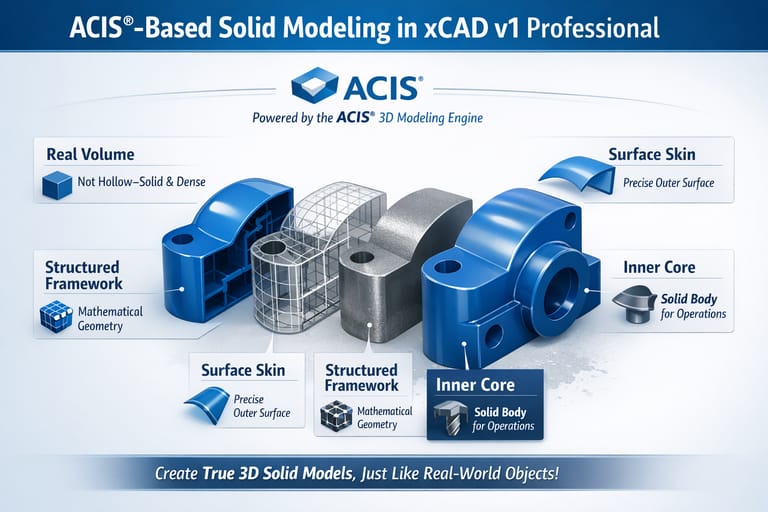
Engine Precision: ACIS is a powerful 3D modeling engine used by many CAD programs to create accurate solid objects. In xCAD Professional, this engine allows designers to build realistic 3D models where every object has:
-
Real Volume: Objects are not just hollow surfaces—they behave like real solid materials.
-
Structured Framework: The internal mathematical structure defines the shape and geometry.
-
Surface Skin: Precise surfaces wrap around the structure to form the visible outer shape.
-
Inner Core (Solid Body): The model contains actual mass information, enabling operations like cutting, drilling, or measuring.
-
-
-
Geometric & Dimensional Constraints
-
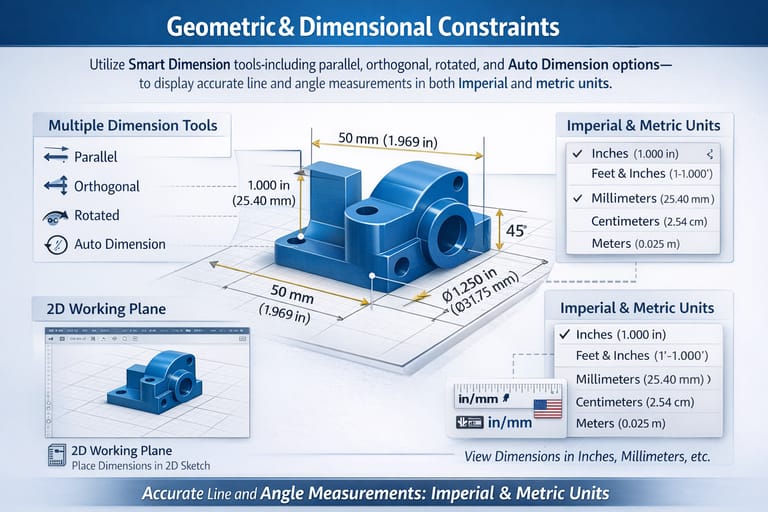
Precision Definition: Apply intelligent Smart Dimension tools—parallel, orthogonal, rotated, and Auto Dimension—to precisely define line lengths and angles.
-
Seamless Documentation: Display accurate measurements in both Imperial and metric units for comprehensive and standardized design documentation.
-
-
Part Tree / History Tree
-
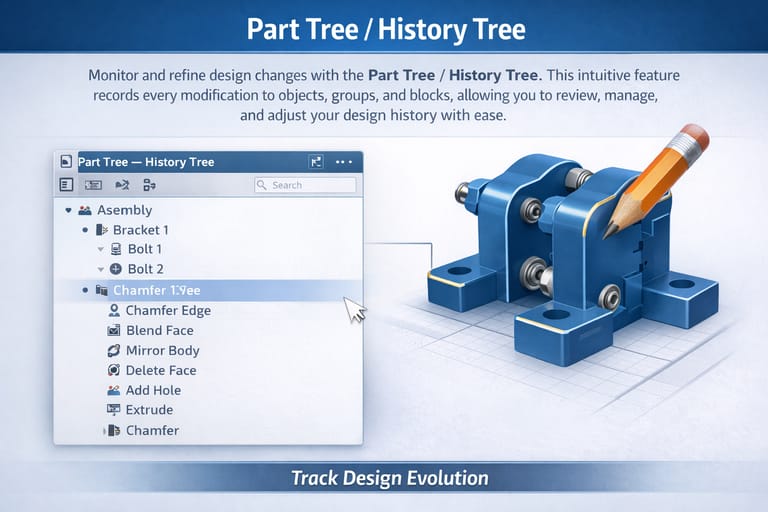
Design Monitoring: Monitor and refine design changes with the intuitive Part Tree / History Tree.
-
Chronological Management: This feature records every modification to objects, groups, and blocks, allowing you to review, manage, and adjust your design history with complete ease.
-
-
Intelligent (Parametric) Architectural Objects
-
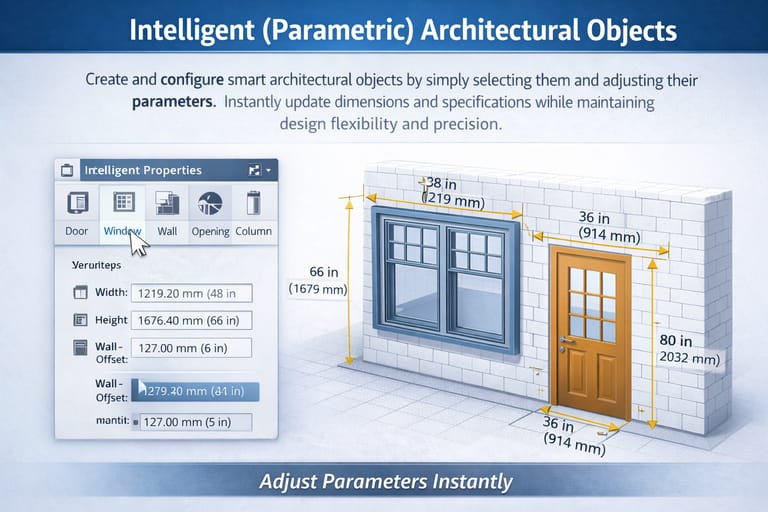
Parametric Configuration: Create and configure smart architectural objects by simply selecting them and adjusting their parameters.
-
Instant Optimization: Instantly update dimensions and specifications while maintaining maximum design flexibility and structural precision.
-
-
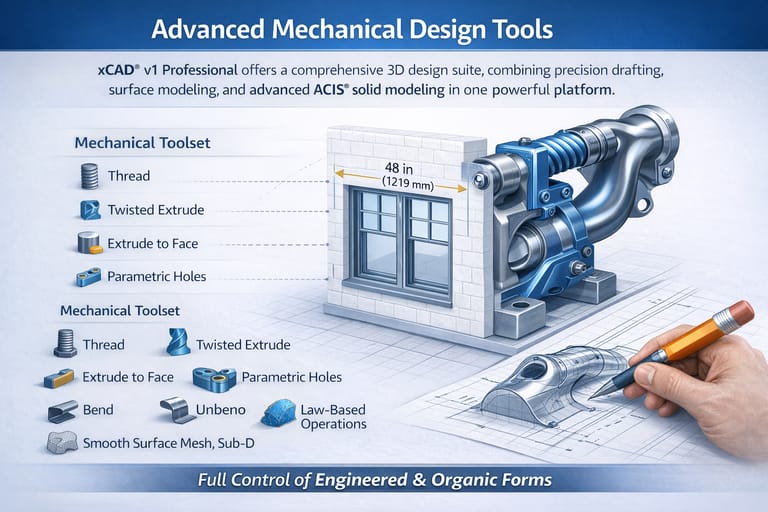
Advanced Mechanical Design Tools
-
Unified Platform: Offers a comprehensive 3D design suite, combining precision drafting, surface modeling, and advanced ACIS® solid modeling in one powerful platform.
-
Advanced Manipulation: The Mechanical Toolset provides essential features like Thread, Twisted Extrude, Extrude to Face, and Parametric Holes, alongside robust modification tools such as Bend, Unbend, Law-Based Operations, and Smooth Surface Mesh/Sub-D modeling—giving you complete control over both engineered and organic forms.
-
-
Programmable SDK & Scripting
-
Workflow Automation: Expands your design capabilities with scripting and a full SDK. Ruby—compatible with SketchUp Ruby Scripts—enables you to create plug-ins, automate multi-step workflows, and enhance designs directly through the Ruby Scripting Console.
-
Custom Development: The SDK empowers the development of custom functions and specialized tools, complete with detailed documentation, sample projects, and .NET support for both commercial and custom applications.
-
-
Enhanced File Compatibility & Interoperability
-
Reliable Translation: Integrates the latest Teigha (ODA) technology, delivering improved DWG/DXF compatibility and more reliable file translation.
-
Cross-Platform Collaboration: Built-in SketchUp support enables direct import of SKP files while preserving material assignments—ensuring smooth collaboration across multiple CAD platforms and design disciplines.
-
xCAD® | System Requirements
Platform Architecture
To deliver maximum performance, xCAD® is engineered natively as a 64-bit application. This architecture fully leverages your system's hardware memory for seamless file loading, high-speed processing, and complex CAD rendering.
Hardware & Operating Specifications
- Operating SystemMicrosoft Windows 11, Windows 10, Windows 8 (64-bit), Windows 7 (64-bit), or Windows Vista (64-bit).
- Memory (RAM)Minimum: 8 GB RAM.Recommendation: 16+ GB RAM paired with a newer-generation, high-speed CPU will significantly elevate your performance and design experience.
- Processor (CPU)1 Gigahertz (GHz) or faster 64-bit ($x64$) Intel or AMD processor.
- Graphics & Acceleration (GPU)OpenCL (GPU-based) modes require an NVIDIA graphics card or GPU supporting OpenCL 1.2 or newer, or NVIDIA’s CUDA version 10.0 or newer.
- PeripheralsStandard Mouse Pointing Device (a mouse with a clickable scroll wheel is highly recommended for viewport navigation).
Choose options

3MF Import