

xCAD v1 Professional - Lifetime
24/7 Backup Support
Top-Quality Products
Secure
Checkout


1,000++ Happy Customers
Professional 2D & 3D CAD Software
xCAD Professional is powerful professional 2D and 3D CAD software with ACIS solid modeling, advanced drafting, rendering, and DWG compatibility for engineers, architects, and designers.
Key Features
-
ACIS®-Based Solid Modeling
-
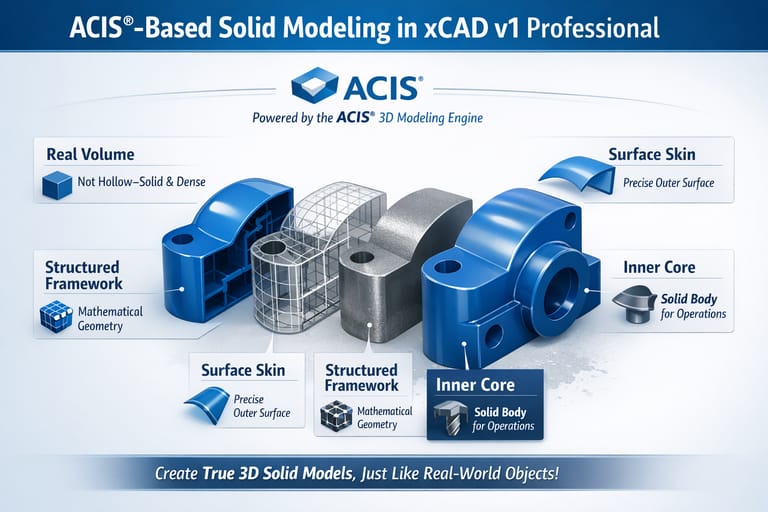
Engine Precision: ACIS is a powerful 3D modeling engine used by many CAD programs to create accurate solid objects. In xCAD v1 Professional, this engine allows designers to build realistic 3D models where every object has:
-
Real Volume: Objects are not just hollow surfaces—they behave like real solid materials.
-
Structured Framework: The internal mathematical structure defines the shape and geometry.
-
Surface Skin: Precise surfaces wrap around the structure to form the visible outer shape.
-
Inner Core (Solid Body): The model contains actual mass information, enabling operations like cutting, drilling, or measuring.
-
-
-
Geometric & Dimensional Constraints
-
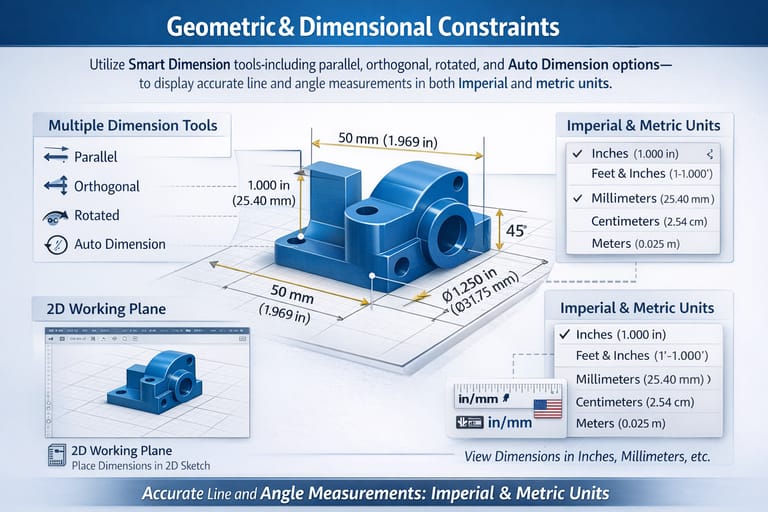
Precision Definition: Apply intelligent Smart Dimension tools—parallel, orthogonal, rotated, and Auto Dimension—to precisely define line lengths and angles.
-
Seamless Documentation: Display accurate measurements in both Imperial and metric units for comprehensive and standardized design documentation.
-
-
Part Tree / History Tree
-
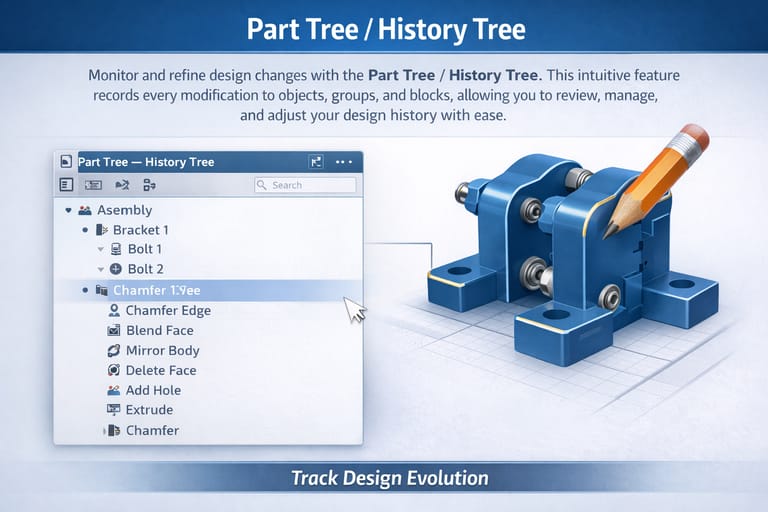
Design Monitoring: Monitor and refine design changes with the intuitive Part Tree / History Tree.
-
Chronological Management: This feature records every modification to objects, groups, and blocks, allowing you to review, manage, and adjust your design history with complete ease.
-
-
Intelligent (Parametric) Architectural Objects
-
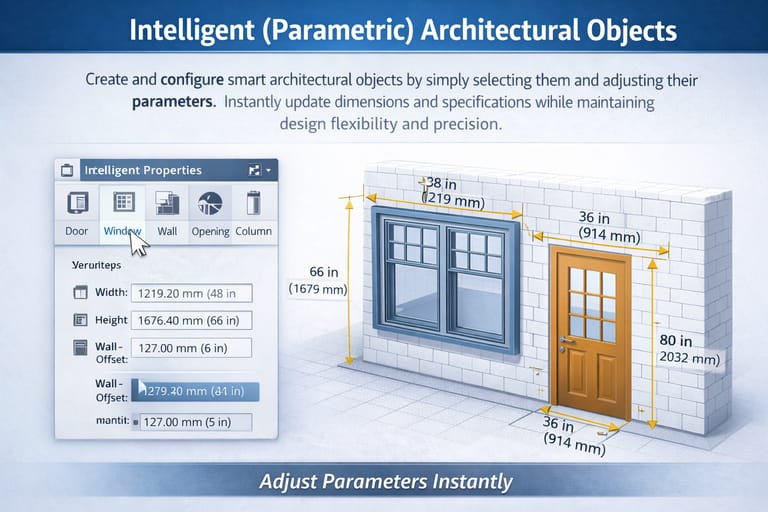
Parametric Configuration: Create and configure smart architectural objects by simply selecting them and adjusting their parameters.
-
Instant Optimization: Instantly update dimensions and specifications while maintaining maximum design flexibility and structural precision.
-
-
Advanced Mechanical Design Tools
-
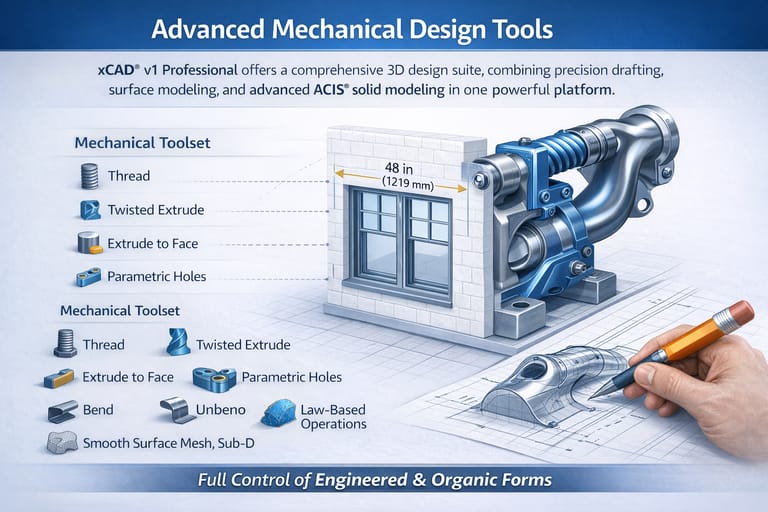
Unified Platform: Offers a comprehensive 3D design suite, combining precision drafting, surface modeling, and advanced ACIS® solid modeling in one powerful platform.
-
Advanced Manipulation: The Mechanical Toolset provides essential features like Thread, Twisted Extrude, Extrude to Face, and Parametric Holes, alongside robust modification tools such as Bend, Unbend, Law-Based Operations, and Smooth Surface Mesh/Sub-D modeling—giving you complete control over both engineered and organic forms.
-
-
Programmable SDK & Scripting
-
Workflow Automation: Expands your design capabilities with scripting and a full SDK. Ruby—compatible with SketchUp Ruby Scripts—enables you to create plug-ins, automate multi-step workflows, and enhance designs directly through the Ruby Scripting Console.
-
Custom Development: The SDK empowers the development of custom functions and specialized tools, complete with detailed documentation, sample projects, and .NET support for both commercial and custom applications.
-
-
Enhanced File Compatibility & Interoperability
-
Reliable Translation: Integrates the latest Teigha (ODA) technology, delivering improved DWG/DXF compatibility and more reliable file translation.
-
Cross-Platform Collaboration: Built-in SketchUp support enables direct import of SKP files while preserving material assignments—ensuring smooth collaboration across multiple CAD platforms and design disciplines.
-
xCAD® | System Requirements
Platform Architecture
To deliver maximum performance, xCAD® is engineered natively as a 64-bit application. This architecture fully leverages your system's hardware memory for seamless file loading, high-speed processing, and complex CAD rendering.
Hardware & Operating Specifications
- Operating SystemMicrosoft Windows 11, Windows 10, Windows 8 (64-bit), Windows 7 (64-bit), or Windows Vista (64-bit).
- Memory (RAM)Minimum: 8 GB RAM.Recommendation: 16+ GB RAM paired with a newer-generation, high-speed CPU will significantly elevate your performance and design experience.
- Processor (CPU)1 Gigahertz (GHz) or faster 64-bit ($x64$) Intel or AMD processor.
- Graphics & Acceleration (GPU)OpenCL (GPU-based) modes require an NVIDIA graphics card or GPU supporting OpenCL 1.2 or newer, or NVIDIA’s CUDA version 10.0 or newer.
- PeripheralsStandard Mouse Pointing Device (a mouse with a clickable scroll wheel is highly recommended for viewport navigation).
Choose options

3MF Import