
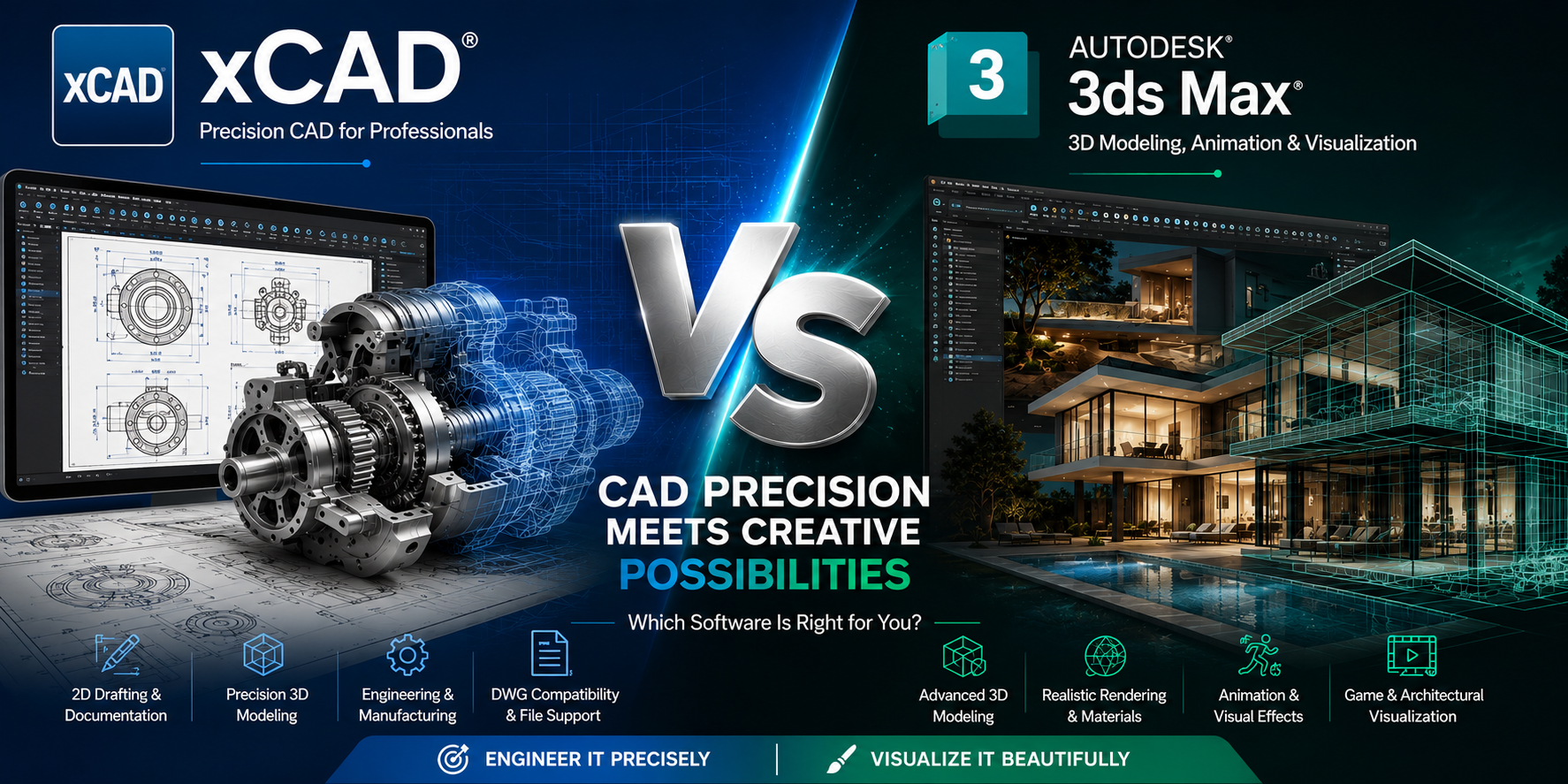
xCAD vs Autodesk 3ds Max: Which 3D Design Software Is Right for You

Introduction
Choosing the right 3D design software can significantly impact your productivity, project quality, and overall workflow. Two well-known names in the design industry are xCAD and Autodesk 3ds Max, but despite both offering powerful 3D capabilities, they serve very different purposes.
xCAD is a professional CAD solution focused on precision drafting, engineering, architecture, manufacturing, and product design. It excels in creating accurate 2D drawings and parametric 3D models.
Autodesk 3ds Max, on the other hand, is a professional 3D modeling, animation, rendering, and visual effects software designed primarily for artists, game developers, architects, and visualization professionals.
If you're deciding between xCAD and Autodesk 3ds Max, this detailed comparison will help you understand which software best fits your workflow.
xCAD vs Autodesk 3ds Max: Quick Comparison
| Feature | xCAD | Autodesk 3ds Max |
|---|---|---|
| Primary Purpose | CAD Drafting & Engineering Design | 3D Modeling, Animation & Rendering |
| Best For | Engineers, Architects, Product Designers | Game Developers, VFX Artists, Animators |
| 2D Drafting | Excellent | Limited |
| Precision Engineering | Excellent | Basic |
| Parametric Modeling | Yes | Limited |
| Polygon Modeling | Basic | Industry-Leading |
| Animation | No | Advanced |
| Visual Effects | No | Excellent |
| Rendering | High-quality photorealistic rendering | Arnold Renderer + Third-party renderers |
| DWG Compatibility | Native | Import/Export |
| Manufacturing Workflows | Excellent | Limited |
| Learning Curve | Moderate | Steep |
| Licensing | Perpetual & Subscription | Subscription Only |
What is xCAD?
xCAD is a comprehensive CAD platform built for professionals who require precision drafting and accurate 3D solid modeling. It supports architectural drawings, mechanical engineering, product development, and manufacturing workflows.
Key Features
- Professional 2D drafting
- Advanced 3D solid modeling
- ACIS® solid modeling engine
- Parametric design tools
- Mechanical and architectural toolsets
- Intelligent dimensioning
- Sheet layouts
- Photorealistic rendering
- Extensive CAD file compatibility
xCAD is designed to create production-ready engineering documentation rather than artistic content.
What is Autodesk 3DS Max?
Autodesk 3ds Max is one of the world's leading 3D content creation applications. It is widely used in gaming, film production, architectural visualization, and animation.
Key Features
- Polygon modeling
- Spline modeling
- Procedural modeling
- Character animation
- Rigging tools
- Particle systems
- Cloth simulation
- Hair and Fur system
- Arnold Renderer
- Large plugin ecosystem
Unlike CAD software, 3ds Max focuses on creating visually stunning digital assets rather than manufacturing-ready designs.
User Interface
xCAD
xCAD provides a familiar CAD workspace with customizable ribbons, drafting palettes, command-line support, and precision tools designed for technical users.
Best suited for:
- Engineers
- Architects
- Technical designers
Autodesk 3ds Max
3ds Max offers an interface centered around creative workflows with modeling panels, animation timelines, material editors, and rendering controls.
Best suited for:
- 3D artists
- Animators
- Game developers
Winner: Depends on your profession.
2D Drafting
xCAD
xCAD offers one of the strongest 2D drafting environments available outside AutoCAD.
Features include:
- Smart dimensions
- Precision snapping
- Layer management
- Construction geometry
- Annotation tools
- Sheet layouts
- Dynamic blocks
Autodesk 3ds Max
3ds Max includes only basic spline drawing tools and is not intended for technical drafting.
Winner: xCAD
3D Modeling
xCAD
xCAD specializes in engineering-grade solid modeling.
Supports:
- ACIS solids
- Surface modeling
- Boolean operations
- Parametric editing
- Mechanical assemblies
Ideal for:
- Machine parts
- Mechanical products
- Buildings
- Manufacturing models
Autodesk 3ds Max
3ds Max excels in artistic modeling.
Supports:
- Polygon modeling
- Editable Poly
- Sculpting
- Organic modeling
- Subdivision surfaces
Ideal for:
- Characters
- Furniture
- Video games
- Visual effects
- Interior visualization
Winner:
- Engineering → xCAD
- Artistic Modeling → Autodesk 3ds Max
Rendering
xCAD
xCAD provides integrated photorealistic rendering suitable for:
- Product visualization
- Architectural presentations
- Mechanical designs
Autodesk 3ds Max
3ds Max offers one of the industry's best rendering environments with:
- Arnold Renderer
- V-Ray support
- Corona Renderer
- Redshift
- Octane
- Realistic lighting
- Advanced materials
Winner: Autodesk 3ds Max
Animation
This category isn't close.
xCAD includes very limited animation functionality.
Autodesk 3ds Max includes:
- Character animation
- Motion paths
- Skinning
- Rigging
- CAT tools
- Biped system
- Simulation
- Dynamics
Winner: Autodesk 3ds Max
Engineering Workflows
xCAD was specifically developed for engineering.
It includes:
- Accurate measurements
- CAD standards
- Manufacturing drawings
- Mechanical dimensions
- DWG workflows
- Construction documentation
3ds Max lacks professional engineering documentation tools.
Winner: xCAD
File Compatibility
xCAD Supports
- DWG
- DXF
- STEP
- IGES
- STL
- SAT
- SKP
- OBJ
- SVG
Autodesk 3ds Max Supports
- FBX
- OBJ
- 3DS
- STL
- DWG (Import)
- Alembic
- USD
- glTF
xCAD provides broader support for CAD manufacturing formats.
Performance
xCAD performs efficiently on most engineering workstations and is optimized for handling precise CAD models.
3ds Max demands significantly more powerful hardware, especially when working with high-polygon scenes, advanced simulations, and photorealistic rendering.
Winner: xCAD for CAD workloads; 3ds Max for high-end visualization.
Learning Curve
xCAD
Learning Difficulty: Moderate
Ideal for:
- Engineers
- Architects
- CAD professionals
Autodesk 3ds Max
Learning Difficulty: High
Requires understanding of:
- Polygon topology
- UV mapping
- Materials
- Animation
- Rigging
- Rendering
Winner: xCAD
Pricing
xCAD
- One-time perpetual license available
- Subscription options available
- Lower long-term ownership cost
Autodesk 3ds Max
- Subscription-only licensing
- Higher recurring annual cost
For organizations seeking predictable long-term expenses, xCAD can be a more economical choice.
Pros and Cons
xCAD
Pros
- Excellent 2D drafting
- Powerful engineering tools
- Precision modeling
- Manufacturing-ready documentation
- Native DWG support
- Affordable licensing
- Perpetual license option
Cons
- Limited animation
- Not intended for game development
- Fewer artistic modeling tools
Autodesk 3ds Max
Pros
- World-class polygon modeling
- Outstanding rendering capabilities
- Professional animation tools
- Huge plugin ecosystem
- Industry standard for visualization
Cons
- Expensive subscription
- Steep learning curve
- Limited engineering capabilities
- Not suitable for production drafting
Who Should Choose xCAD?
xCAD is ideal for:
- Mechanical engineers
- Civil engineers
- Architects
- Manufacturing professionals
- Product designers
- Construction companies
- CAD professionals requiring precision and technical documentation
Who Should Choose Autodesk 3ds Max?
Autodesk 3ds Max is ideal for:
- 3D artists
- Animators
- Game developers
- Visual effects studios
- Architectural visualization specialists
- Interior designers creating photorealistic presentations
Final Verdict
xCAD and Autodesk 3ds Max are powerful applications, but they solve different problems.
Choose xCAD if your work centers on precision CAD drafting, engineering design, manufacturing, or architectural documentation. Its robust 2D drafting, accurate 3D solid modeling, and flexible licensing make it a strong choice for technical professionals.
Choose Autodesk 3ds Max if your focus is creative 3D modeling, animation, visual effects, or photorealistic rendering. It remains one of the industry's leading tools for digital content creation.
Ultimately, the right choice depends on your goals: xCAD for technical accuracy and production-ready CAD workflows, or Autodesk 3ds Max for artistic freedom and advanced visualization.
Frequently Asked Questions (FAQs)
Is xCAD a replacement for Autodesk 3ds Max?
No. xCAD is a CAD application for engineering and technical design, while 3ds Max is designed for 3D content creation, animation, and visualization.
Which software is better for architecture?
xCAD is better for creating architectural drawings and construction documentation, whereas 3ds Max is better for producing high-quality architectural visualizations and walkthroughs.
Can xCAD create animations?
xCAD offers only basic visualization capabilities and is not intended for professional animation workflows.
Which software is better for manufacturing?
xCAD is the better choice because it provides precision modeling, engineering tools, and support for manufacturing-focused file formats.
Is Autodesk 3ds Max suitable for CAD drafting?
3ds Max can import CAD data for visualization, but it is not designed to replace dedicated CAD software for technical drafting or engineering documentation.

Written by xCAD 2D3D


Leave a comment
This site is protected by hCaptcha and the hCaptcha Privacy Policy and Terms of Service apply.