
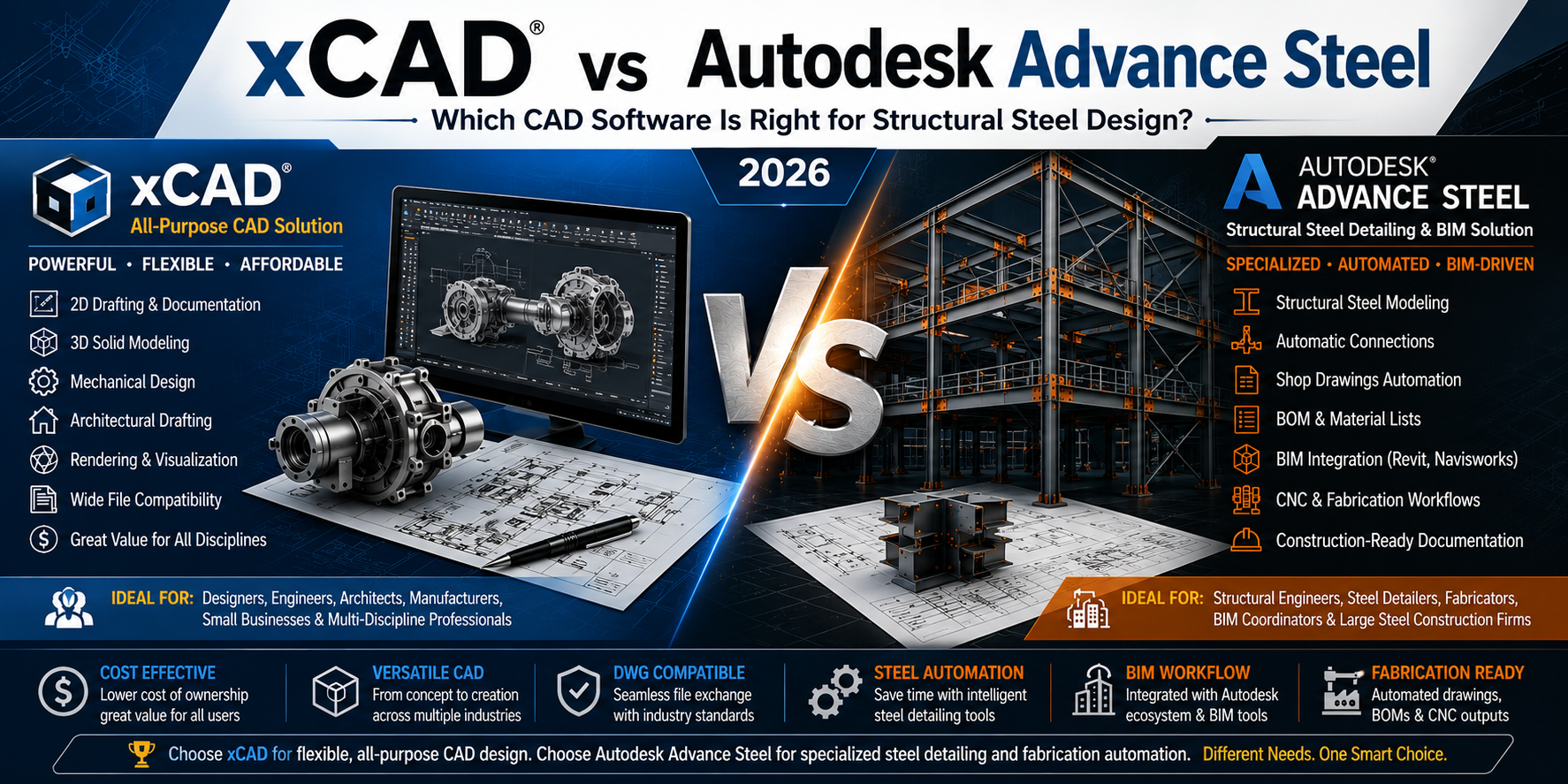
xCAD vs Autodesk Advance Steel: Complete Comparison Guide

Choosing the right CAD software can dramatically affect productivity, project costs, and collaboration. While xCAD is a versatile professional CAD platform for 2D drafting and 3D modeling, Autodesk Advance Steel is a highly specialized structural steel detailing solution built around BIM workflows.
So which software is the better investment?
The answer depends on whether you need a general-purpose CAD platform or a dedicated steel detailing system.
This comprehensive comparison examines both applications across every important category.
Overview
| xCAD | Autodesk Advance Steel |
|---|---|
| General-purpose CAD software | Structural steel detailing software |
| 2D Drafting | Steel Fabrication |
| 3D Solid Modeling | BIM Workflow |
| Mechanical Design | Automatic Connections |
| Architectural Drawings | Shop Drawings |
| DWG Compatible | Autodesk Ecosystem |
What is xCAD?
xCAD is a professional CAD application used for:
- 2D drafting
- 3D solid modeling
- Mechanical engineering
- Architectural drafting
- Civil layouts
- Product design
- Manufacturing drawings
- Interior design
- Concept modeling
It provides a complete drafting and modeling environment while remaining significantly more affordable than many enterprise CAD systems.
xCAD is available in multiple editions including:
- 2D
- 2D3D
- Pro
The Platinum edition includes advanced ACIS solid modeling, rendering, parametric tools, scripting, and professional productivity features.
What is Autodesk Advance Steel?
Autodesk Advance Steel is specialized software designed specifically for structural steel professionals.
Its primary focus includes:
- Structural steel modeling
- Steel fabrication
- Connection detailing
- Automatic BOM generation
- Shop drawings
- CNC output
- BIM collaboration
- Fabrication workflows
Advance Steel integrates closely with Autodesk products such as:
- AutoCAD
- Revit
- Navisworks
It is intended primarily for fabrication companies, steel detailers, and structural engineering firms.
Feature Comparison
| Feature | xCAD | Autodesk Advance Steel |
|---|---|---|
| 2D Drafting | Excellent | Excellent |
| 3D Modeling | Excellent | Excellent |
| Structural Steel Tools | Limited | Excellent |
| BIM Workflow | Basic | Excellent |
| Mechanical Design | Excellent | Good |
| Architectural Design | Excellent | Good |
| Parametric Modeling | Yes | Yes |
| DWG Support | Excellent | Native |
| Rendering | Excellent | Limited |
| Manufacturing Drawings | Excellent | Excellent |
| Steel Connections | Manual | Automated |
| CNC Export | Limited | Excellent |
| BOM Generation | Manual | Automatic |
User Interface
xCAD
xCAD provides a familiar ribbon interface with:
- Customizable workspaces
- Tool palettes
- Dynamic input
- Layer management
- Multiple drafting environments
Users coming from AutoCAD generally adapt quickly.
Autodesk Advance Steel
Advance Steel extends AutoCAD with additional:
- Steel tool palettes
- Connection libraries
- Fabrication commands
- BIM utilities
- Automatic documentation
The interface is optimized specifically for structural engineers.
2D Drafting
Both platforms offer professional drafting capabilities.
xCAD includes:
- Dimensions
- Leaders
- Blocks
- Layers
- Annotation
- Xrefs
- Sheet layouts
Advance Steel also provides robust drafting but focuses primarily on fabrication documentation.
Winner:
Tie
3D Modeling
xCAD excels in general-purpose solid modeling.
Capabilities include:
- ACIS solids
- Surface modeling
- Boolean operations
- Mesh editing
- Architectural objects
- Mechanical components
Advance Steel focuses on:
- Steel members
- Plates
- Bolts
- Welds
- Connections
- Structural assemblies
Winner:
- General modeling → xCAD
- Steel structures → Advance Steel
Structural Steel Design
This is where Advance Steel dominates.
It includes:
- Beam libraries
- Column libraries
- Plate tools
- Gussets
- Bracing
- Connection macros
- Weld management
- Bolt management
- Automatic numbering
xCAD can certainly create structural models, but these tools must often be built manually.
Winner:
Advance Steel
BIM Integration
Advance Steel integrates with:
- Revit
- Navisworks
- Autodesk Construction Cloud
This allows:
- BIM collaboration
- Clash detection
- Structural coordination
- Construction documentation
xCAD focuses more on standalone CAD production.
Winner:
Advance Steel
Shop Drawings
Advance Steel automatically creates:
- Fabrication drawings
- Assembly drawings
- Single-part drawings
- Erection drawings
xCAD requires users to prepare these manually.
Winner:
Advance Steel
Bill of Materials (BOM)
Advance Steel automatically generates:
- Material lists
- Bolt lists
- Assembly schedules
- NC files
- CNC output
xCAD requires manual scheduling or external workflows.
Winner:
Advance Steel
Mechanical Design
xCAD performs exceptionally well for:
- Machine parts
- Product development
- Fixtures
- Manufacturing
- Tooling
- Industrial equipment
Advance Steel is not intended for these applications.
Winner:
xCAD
Architectural Drafting
xCAD includes:
- Walls
- Doors
- Windows
- Roof tools
- Floor plans
- Elevations
Advance Steel is focused primarily on steel structures rather than complete building design.
Winner:
xCAD
Rendering
xCAD includes advanced rendering capabilities for:
- Client presentations
- Product visualization
- Architectural concepts
- Lighting studies
Advance Steel focuses more on engineering accuracy than visual presentation.
Winner:
xCAD
DWG Compatibility
Both software packages offer excellent DWG compatibility.
xCAD supports:
- DWG
- DXF
- DGN
- STL
- STEP
- IGES
- SAT
- SKP
Advance Steel uses native DWG technology.
Winner:
Tie
Performance
xCAD is generally lighter on hardware for standard drafting and modeling tasks.
Advance Steel projects, especially large fabrication models, require significantly more powerful workstations due to BIM data and steel connection processing.
Learning Curve
xCAD:
- Easier for general CAD users
- Flexible workspace
- Broad design applications
Advance Steel:
- Requires structural engineering knowledge
- Connection design expertise
- Fabrication workflow understanding
Best Use Cases
xCAD is ideal for:
- Mechanical engineers
- Architects
- Designers
- Manufacturing companies
- Product developers
- Educational institutions
- Small businesses
- General CAD professionals
Autodesk Advance Steel is ideal for:
- Structural engineers
- Steel fabricators
- BIM coordinators
- Steel detailers
- Industrial construction firms
- Fabrication shops
- Large engineering companies
Pros and Cons
xCAD
Pros
- Lower cost of ownership
- Excellent 2D drafting
- Powerful 3D modeling
- Flexible workflows
- Strong rendering tools
- Broad industry support
- Wide file compatibility
- Suitable for multiple disciplines
Cons
- No dedicated steel detailing automation
- Manual fabrication workflows
- Limited BIM capabilities compared to specialized platforms
Autodesk Advance Steel
Pros
- Purpose-built for structural steel
- Automatic shop drawings
- Automatic BOM generation
- Steel connection libraries
- BIM integration
- CNC workflows
- Fabrication-ready documentation
Cons
- Higher licensing costs
- Specialized learning curve
- Less suitable for general CAD work
- Best value primarily for steel-focused projects
Side-by-Side Comparison
| Category | Winner |
|---|---|
| Price | xCAD |
| General CAD | xCAD |
| 2D Drafting | Tie |
| 3D Modeling | Tie |
| Mechanical Design | xCAD |
| Architectural Drafting | xCAD |
| Rendering | xCAD |
| Structural Steel | Advance Steel |
| BIM | Advance Steel |
| Fabrication | Advance Steel |
| Shop Drawings | Advance Steel |
| Automatic BOM | Advance Steel |
| Ease of Learning | TurboCAD |
| Small Business Value | TurboCAD |
| Large Steel Projects | Advance Steel |
Which Software Should You Choose?
Choose xCAD if you need a versatile CAD solution for drafting, modeling, architecture, mechanical design, or general engineering. It delivers strong design capabilities with broad file compatibility and a lower overall cost, making it attractive for individuals, small businesses, and multidisciplinary teams.
Choose Autodesk Advance Steel if your work centers on structural steel fabrication, detailed connection modeling, automated shop drawings, and BIM-based coordination. Its specialized automation can substantially improve efficiency on steel construction projects despite the higher investment.
Final Verdict
xCAD and Autodesk Advance Steel serve different purposes rather than being direct substitutes.
If your goal is an affordable, feature-rich CAD platform for a wide range of engineering and design tasks, xCAD is the stronger all-around choice.
If your organization specializes in structural steel detailing and fabrication and relies on BIM workflows with automated documentation, Autodesk Advance Steel provides capabilities that are specifically tailored to those needs.
For many engineering firms, the decision comes down to workflow: use xCAD for flexible general CAD work across multiple disciplines, and choose Advance Steel when structural steel detailing and fabrication automation are the primary requirements.

Written by xCAD 2D3D


Leave a comment
This site is protected by hCaptcha and the hCaptcha Privacy Policy and Terms of Service apply.